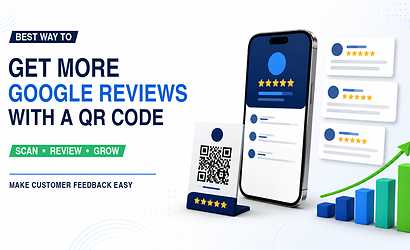
A Google Review QR code for business makes it easier for satisfied customers to reach your Google review page without manually searching for your company. By placing the QR code at billing counters, reception desks, tables, packaging, invoices and other customer touchpoints, businesses can create a faster review journey and strengthen their online reputation.
Google Review QR Code for Business
What Is a Google Review QR Code for Business?
A Google Review QR code is a scannable code that directs customers toward the business's Google review destination. Instead of asking customers to open Google, search for the company, select the correct listing and find the review option, the QR code reduces the number of steps required.
For local businesses such as restaurants, salons, retail stores, clinics, service centres and professional offices, this can create a smoother customer experience. A customer who has just completed a successful purchase or service can scan the QR code using their smartphone and continue directly to the review process.
Why Businesses Are Using Review QR Codes
Businesses use review QR codes because they provide:
- Faster access to the review page
- Less manual searching for customers
- A convenient post-purchase interaction
- Better visibility for the review request
- Easy placement on printed and digital materials
- A professional way to request genuine feedback
The goal should always be to make leaving an honest review convenient rather than pressuring customers to submit positive ratings.
How Google Review QR Codes Work
How Does a Google Review QR Code Work?
The process is simple. The business connects its Google review destination to a QR code. The code can then be downloaded, printed or displayed digitally. When a customer scans it, the connected page opens on the customer's smartphone.
With a smart digital business profile such as VCrds, businesses can combine the Google Review connection with other important customer actions instead of displaying several unrelated QR codes.
One QR Code Can Offer More Than Reviews
A customer may scan the same smart QR profile and find useful options such as:
- Google Reviews
- WhatsApp
- Phone call
- Google Maps
- Website
- Instagram or Facebook
- Product catalogue
- Business enquiry
- Payment options
This makes the QR code useful even when the customer does not immediately want to write a review.
Google Reviews and Local Business Visibility
Can QR Codes Help Local SEO?
A QR code itself is not a direct Google ranking factor. Its value comes from making the review process easier. When genuine customers find it simpler to leave feedback, a business may gradually build a stronger review profile.
Reviews are particularly valuable for businesses competing for location-based searches such as "salon near me," "restaurant near me," "photographer in my area," or "best local service provider."
Build a Stronger Local Digital Presence
Businesses should combine their review strategy with:
- Complete Google Business Profile information
- Accurate business name, address and phone details
- Correct business categories
- Updated operating hours
- Quality photos
- Genuine customer reviews
- Responses to customer feedback
- A clear Google Maps location
This combination creates better context for both traditional search engines and AI-powered local discovery systems.
Best Places to Display Your Review QR Code
Where Should Businesses Place a Google Review QR Code?
The QR code should appear where satisfied customers naturally complete their interaction with the business.
Restaurants can display it near billing counters, table cards and takeaway packaging. Salons can keep it near the reception or payment desk. Retail businesses can add it to shopping bags, invoices or checkout counters.
High-Visibility QR Code Locations
Consider adding your QR code to:
- Reception counters
- Table stands
- Product packaging
- Bills and invoices
- Thank-you cards
- Store entrances
- Business cards
- Appointment cards
- Posters
- WhatsApp follow-up messages
- Email signatures
Add a clear call-to-action such as "Scan to Share Your Experience" rather than displaying an unexplained QR code.
Google Review QR Code FAQs
Frequently Asked Questions About Google Review QR Codes
Can customers leave reviews by scanning a QR code?
Yes. When the QR code is correctly connected to the appropriate Google review destination, customers can scan it using their smartphone and continue to the review process.
Should I offer rewards for five-star reviews?
Businesses should focus on requesting genuine feedback and follow Google's applicable review policies rather than trying to influence the rating customers give.
Can one QR code connect reviews and other business links?
Yes. A smart digital profile can connect Google Reviews with WhatsApp, phone, Maps, social media, catalogues and other important business connections.
For businesses that want to simplify customer connections, VCrds can turn one QR scan into a gateway to reviews, communication, location, products and other useful business actions.