What Is a WhatsApp Business QR Code?
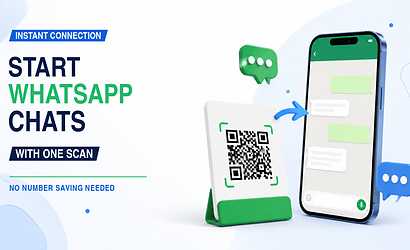
A WhatsApp Business QR code gives customers a convenient route to begin interacting with a business through WhatsApp. Instead of copying a number from an advertisement, saving it in contacts and then opening WhatsApp, customers can scan and continue toward the conversation.
Reducing these small steps is important in digital marketing because every unnecessary action can cause a potential customer to leave before making an enquiry.
Businesses That Can Benefit
WhatsApp QR connections can be useful for:
- Retail stores
- Restaurants
- Salons
- Real estate agents
- Photographers
- Consultants
- Repair services
- Training institutes
- Freelancers
- Local service companies
How WhatsApp QR Codes Improve Customer Communication
Imagine a potential customer sees an advertisement for a service while walking past a shop. If the advertisement only contains a phone number, the customer may plan to contact the business later and eventually forget.
A visible QR code with a message such as "Scan to Enquire on WhatsApp" provides an immediate action. The customer can scan while interest is still high.
Use WhatsApp QR Codes For
Businesses can use the connection for:
- Product enquiries
- Appointment requests
- Service enquiries
- Price questions
- Booking discussions
- Catalogue requests
- Store information
- Customer support
- Follow-up communication
Why Use a Smart QR Instead of a WhatsApp-Only QR?
A WhatsApp-only QR code solves one problem, but customers may also want your location, website, Instagram account, product catalogue, reviews or payment information.
A multi-connection digital profile gives the customer several relevant actions after one scan.
Connections You Can Combine
For example, a VCrds profile can bring together:
- Call
- Google Maps
- Google Reviews
- Website
- Social media
- Product catalogue
- Shop enquiries
- UPI payment options
Instead of filling a poster with different QR codes, businesses can present a cleaner and easier customer journey.
Best Places to Use a WhatsApp Business QR Code
Offline marketing becomes more interactive when customers can move immediately from a physical advertisement to a digital conversation.
A local business could add the QR code to a storefront poster and use a CTA such as "Scan for Today's Offers." A restaurant could use "Scan to Order or Enquire." A salon could use "Scan to Book an Appointment."
Useful Placement Ideas
Place your QR code on:
- Posters
- Flyers
- Business cards
- Storefront displays
- Packaging
- Bills
- Brochures
- Exhibition stalls
- Product labels
- Social media creatives
Always test the QR code on multiple smartphones before printing large quantities.
Frequently Asked Questions
Do customers need to manually save the number first?
A properly configured WhatsApp connection can reduce or remove the need for customers to manually copy and save the business number before beginning the interaction.
Is a WhatsApp QR code useful for local businesses?
Yes. It is especially useful for businesses that depend on enquiries, bookings and quick conversations from nearby customers.
Can WhatsApp and Google Maps use the same QR code?
A multi-link digital profile can provide both connections from one QR scan, allowing a customer to choose whether they want to message the business or find its location.
VCrds can therefore turn WhatsApp from an isolated contact option into part of a complete digital customer connection system.

