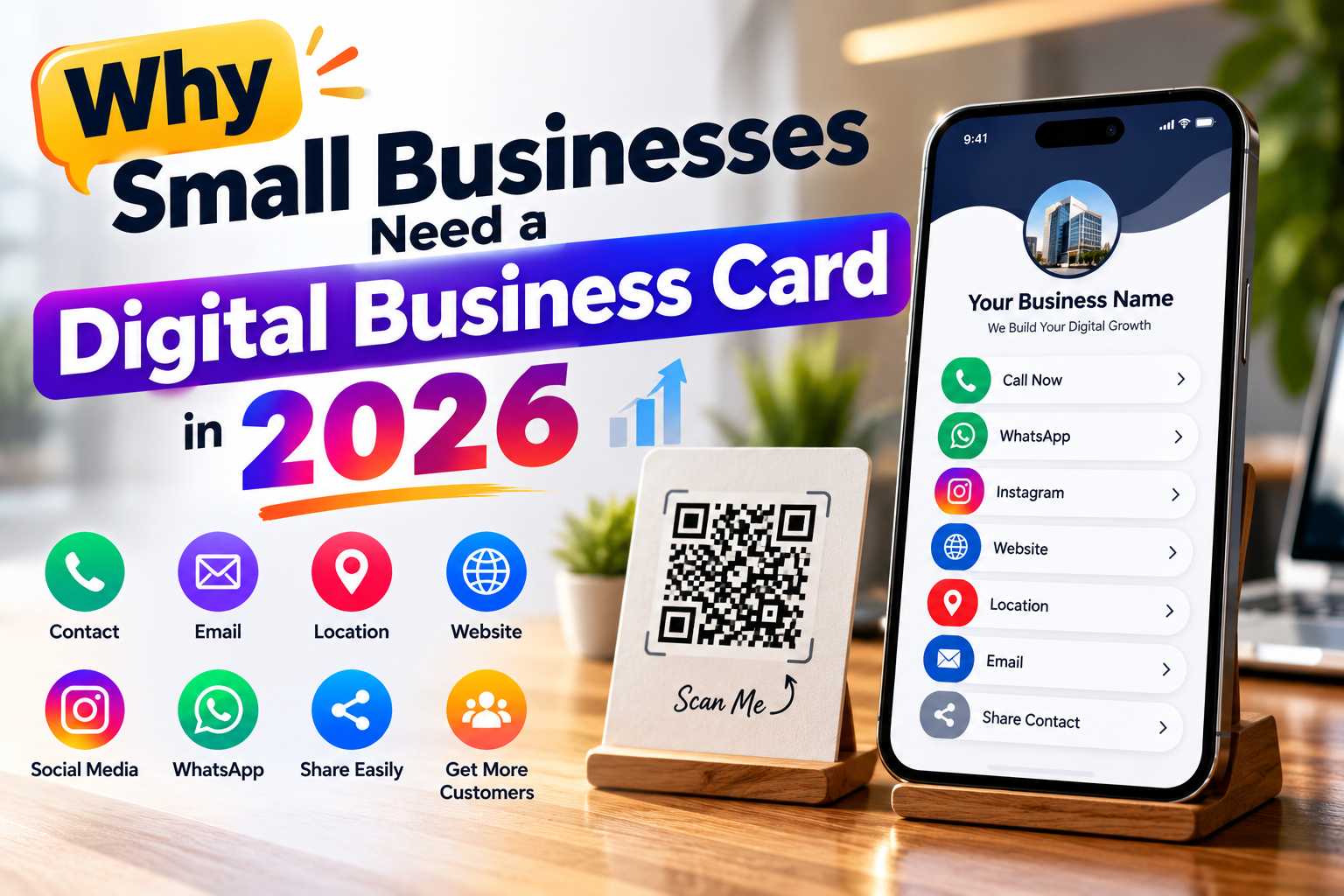
Small businesses in 2026 need faster, simpler and more professional ways to share their contact information with customers. A digital business card brings your phone number, WhatsApp, website, social media profiles, business location, services and other useful details together in one mobile-friendly profile that can be shared through a link or QR code.
Unlike a traditional visiting card that contains fixed printed information, a digital business card can provide customers with direct actions such as calling, sending a WhatsApp message, visiting a website, viewing Instagram or opening a business location. For local businesses, freelancers, consultants, retailers and service providers, this creates a convenient connection between offline marketing and online customer engagement.
Why Digital Business Cards Matter for Small Businesses in 2026
Traditional visiting cards are still useful for face-to-face networking, but they have limitations. A printed card usually contains only basic information such as your name, company name, phone number, email and website. When you want to add WhatsApp, Instagram, Google Maps, product information or several other links, the card can quickly become crowded.
A digital business card solves this problem by placing important business information on one mobile-friendly page. Instead of manually typing your contact details, customers can open your digital card and select the action they need.
For example, someone viewing your digital business card could immediately call your business, send a WhatsApp message, visit your website, follow your Instagram account or locate your business on Google Maps.
What Can You Add to a Digital Business Card?
A good digital business card should act as a central profile for your professional or business information. The exact details you include will depend on your industry, but the goal is to provide customers with the most useful ways to learn about and contact your business.
You can include:
- Your name
- Business or company name
- Designation
- Profile photo or business logo
- Mobile number
- WhatsApp contact
- Email address
- Official website
- Instagram profile
- Facebook page
- LinkedIn profile
- YouTube channel
- Google Maps location
- Business address
- Product or service information
- Portfolio links
- Appointment links
- Customer review links
- Payment information where required
Digital Business Card vs Traditional Visiting Card
A traditional visiting card provides fixed printed information, while a digital business card can provide interactive actions. Customers do not need to manually type a website URL or save a phone number before contacting you.
A digital profile can also contain more information than a standard visiting card while remaining easy to access from a smartphone. Businesses can therefore use printed cards and digital business cards together rather than treating them as competing formats.
Why Printed Business Cards Alone May Not Be Enough
Printed business cards continue to have value, especially during face-to-face meetings and networking. However, their physical size limits the amount of useful information they can contain.
Adding multiple phone numbers, email addresses, websites, social media handles and business locations can quickly make a printed card look crowded. More importantly, the customer still needs to manually enter or search for that information.
Digital business cards solve many of these limitations by allowing businesses to organize more information without making the user experience complicated.
Traditional Business Card Limitations
A standard visiting card contains fixed information. Once thousands of cards are printed, changing a phone number, job title, location or website may require printing a new batch.
Traditional cards can also be misplaced, damaged or forgotten after meetings.
Common limitations include:
- Limited physical space
- Fixed information after printing
- Manual contact saving
- Manual website entry
- No direct WhatsApp access
- Limited social media information
- No built-in digital interaction
- Additional printing when details change
Advantages of a Digital Business Card
A digital card provides a more flexible sharing experience because customers can access multiple business channels from one page.
Depending on the platform being used, businesses may also be able to edit information later while continuing to share the same digital profile link.
This makes digital business cards useful for businesses whose services, contact information or online profiles may change over time.
1. Share All Important Business Details in One Place
One of the biggest benefits of a digital business card is the ability to combine important information under one profile.
Instead of sending a WhatsApp number in one message, website in another message and Instagram profile separately, businesses can send one digital card link.
Customers can then choose whether they want to call, message, visit the website or explore social media.
2. Make Customer Contact Faster
Every extra step between customer interest and customer communication can make the process less convenient.
For example, if a customer sees your business advertisement and has to manually type your mobile number, there is a chance they may enter it incorrectly or decide not to continue.
A digital card allows the business to provide clear contact actions such as:
- Call Now
- WhatsApp
- Send Email
- Visit Website
- View Location
- Follow on Instagram
These actions can make the contact journey simpler.
3. Create a More Professional Business Presence
Customers often form an impression of a business based on how clearly it presents its information. Sending several unrelated links in a message can look less organized than providing one structured business profile.
A digital card can present your logo, business description, contact information and digital channels in a consistent format.
This can be useful for freelancers, consultants, local service providers and small business owners who may not have large marketing teams but still want a professional digital identity.
4. Reduce Dependence on Repeated Printing
Traditional visiting cards need to be reprinted whenever important information changes. A digital card can reduce this dependence because the main profile exists online.
Businesses can still use printed cards, but they can keep the printed layout simple by including a QR code that opens the digital profile.
This provides the familiarity of a traditional visiting card together with the flexibility of digital information.
Share Your Digital Business Card With One QR Code
A QR code is one of the easiest ways to connect a physical marketing material with a digital business card.
The business can place the QR code on a visiting card, shop counter, brochure, poster, product package or exhibition display. Customers can scan the code using a compatible smartphone and open the digital profile.
From there, they can access the phone number, WhatsApp, website, Maps, social media and other information.
Where Small Businesses Can Place the QR Code
The QR code should be placed where customers naturally interact with the business.
Useful locations include:
- Visiting cards
- Shop counters
- Product packaging
- Brochures
- Posters
- Banners
- Invoices
- Restaurant tables
- Reception desks
- Exhibition stalls
- Product catalogues
- Service vehicles
- Marketing flyers
- Appointment cards
- Thank-you cards
Use a Clear Call to Action
Customers should understand what will happen after scanning the QR code. Instead of showing a QR code without explanation, add a simple instruction.
Suitable examples include:
- Scan to Connect
- Scan Our Digital Business Card
- Scan for Contact Details
- Scan to WhatsApp Us
- Scan to View Our Business Profile
A clear call to action helps the QR code feel purposeful rather than decorative.
Connect Offline Customers With Online Business Channels
Local businesses often receive customers through a combination of physical visibility and online research. Someone may first see a store board, receive a visiting card or notice a poster before checking the business online.
A digital business card can connect these two experiences.
The customer can scan the QR code from the printed material and immediately access the business profile instead of manually searching for the company name.
WhatsApp for Quick Enquiries
Many small businesses depend on direct customer enquiries. WhatsApp can be useful for customers who want to ask about product availability, pricing, appointments or services.
Adding a WhatsApp button to the digital business card reduces the need for customers to manually save the business number before sending a message.
This can be particularly useful for:
- Retail shops
- Boutiques
- Salons
- Repair services
- Restaurants
- Consultants
- Real estate businesses
- Photographers
- Trainers
- Home service providers
Google Maps for Business Location
Businesses that depend on walk-in customers should make their location easy to access.
Adding a Maps link to a digital business card allows customers to move directly from the business profile to navigation.
This can be useful for stores, clinics, hotels, restaurants, salons, training centres, offices and other businesses with a physical location.
Website and Social Media for Customer Research
Not every customer contacts a business immediately. Some customers prefer to research the company before making a decision.
A digital business card can provide access to the official website, Instagram, Facebook, LinkedIn, YouTube or other relevant platforms.This gives potential customers several ways to understand the business before contacting it.
Digital Business Cards Work Across Many Industries
Digital business cards are not limited to corporate professionals. Almost any business that regularly shares contact information can benefit from having one central digital profile.
The exact content should be adapted to the industry and the actions customers commonly take.
Points
Retail Stores:
Share store details, WhatsApp, location, website, products and social media profiles.
Restaurants and Cafes:
Provide contact numbers, Maps, menus, Instagram, reviews and reservation information.
Salons and Beauty Businesses:
Share appointment details, WhatsApp, Instagram portfolio, location and services.
Clinics and Healthcare Businesses:
Provide appointment contact details, website information and Maps location.
Hotels and Homestays:
Share booking enquiries, phone numbers, WhatsApp, Maps and website information.
Real Estate Professionals:
Connect customers with calls, WhatsApp, property listings and professional profiles.
Freelancers:
Combine portfolios, social media, websites, phone numbers and email information.
Consultants:
Share expertise, contact details, LinkedIn, websites and appointment links.
Photographers and Designers:
Display portfolios, Instagram, websites and enquiry information.
Repair and Home Service Businesses:
Provide quick call and WhatsApp options for service enquiries.
Useful for Both B2B and B2C Businesses
Digital business cards can support both business-to-business and business-to-consumer interactions.
A B2B sales professional may use a digital card after a meeting to share LinkedIn, company information and contact details.
A local retail business may use the same concept to provide customers with WhatsApp, Instagram, Maps and its website.
The format can therefore be customized around the needs of the business rather than following one fixed structure.
Choose Features That Make Customer Interaction Easier
When choosing a digital business card platform, small businesses should focus on practical customer-facing features rather than selecting a platform only because it looks attractive.
The best solution should make business information easy to view, manage and share.
Points
Useful features include:
- Mobile-friendly business profile
- QR code sharing
- WhatsApp integration
- Direct call option
- Website linking
- Social media links
- Google Maps integration
- Product or service information
- Contact-saving option
- Easy profile editing
- Professional branding
- Customer enquiry options
- Analytics where available
- NFC compatibility where required
Editable Business Information
Business details can change. A company may move to another location, update its phone number, add a new website or create a new social media account.
Using a digital profile that allows information to be edited can help the business keep its shared details current.
This is especially useful when the same profile link or QR code has already been distributed through marketing materials.
Mobile-First Design
Most customers will open a digital business card from a smartphone. For this reason, mobile usability should be a priority.
Buttons should be easy to tap, text should be readable and important actions such as WhatsApp, phone, website and Maps should be clearly visible.
A complicated interface can reduce the value of having a digital card in the first place.
Keep Your Business Profile Simple and Useful
A digital business card should help customers take action quickly. Adding every possible link can make the page crowded and reduce attention on the most important options.
Start with your primary business information and arrange the content according to customer importance.
Points
For a strong digital business card:
- Add your correct business name.
- Upload a professional logo or photograph.
- Write a short business description.
- Add your primary phone number.
- Add WhatsApp if customers use it for enquiries.
- Include your official website.
- Add only relevant social media profiles.
- Include your business location when applicable.
- Add products, services or portfolio information where useful.
- Test every button before sharing.
- Generate a QR code for offline use.
- Review your profile regularly.
Avoid Unnecessary Information
The purpose of the card is to simplify customer access, not to recreate an entire website on one small profile page.
Long paragraphs, too many buttons and outdated social accounts can make the profile difficult to use.
Focus on the information customers need most and provide clear next actions.
Create Consistent Business Information Across Digital Platforms
A digital business card should use accurate business information that matches the important details shown on your website, Maps profile and other public business platforms.
Keeping the business name, address, phone number and website information consistent can make it easier for customers to recognize the correct business when they move between different digital channels.
For local businesses, a digital profile can also provide a useful connection to Maps and location-based information, making it easier for users to navigate from a shared profile to the physical business.
Support Answer-Based Customer Searches
Customers often search using direct questions such as “How can I contact this business?”, “Where is this shop located?” or “Does this business have WhatsApp?”
A well-organized digital business card can make the answers to these questions easier for the customer to find after they reach your profile.
Clear labels such as Call, WhatsApp, Website, Location and Services reduce ambiguity and create a more user-friendly experience.
Strengthen Local Customer Discovery
For businesses serving a particular city or area, including clear location and service information can help customers understand where the company operates.
For example, businesses serving customers in Chennai, Puducherry, Bengaluru, Hyderabad, Mumbai or other cities can include their correct address, location link and service information in the digital profile.
The goal should not be keyword stuffing. It should be to provide accurate geographic information that helps real customers understand whether the business is relevant to them.